Tuesday, July 8, 2008

Choppy/Stuttery audio on MacBookPro after plugging out headphones? A solution!

More of a MacBook Pro tip than an FCP one, even though it was the choppy audio playback on my FCP timeline that alerted me to the problem.

So, it was the first time I'm experiencing choppy audio playback from my timeline - never had any problems with DV25 or DVCPro50 [or even HDV] footage running off an external 7200RPM Firewire HDD via FW400.

Trashed FCP preferences. Unmounted and remounted my external Firewire HDD, where my media and project files are stored. Restarted the MBP. Reset PRAM [the startup chime sounded! But oh... that didn't solve the problem...]

Was going to repair permissions using Disk Utility but didn't have the patience to twiddle my thumbs for 15 mins. Besides, it didn't feel like a permissions problem... for a moment, I was afraid the sound card/logic board has gone all funky.

A quick google shows that it might be some weird MBP-headphones quirk. This morning, I was watching a movie on the MBP while commuting to work, with headphones plugged in, naturally.

I don't remember yanking out the headphones after I put the MBP to sleep... but the solution googled worked nevertheless: Plug in a pair of headphones, restart your MBP and once the Mac starts up, pull out the headphones.

Voila - works! Even though it took a few tries since I didn't pull out the headphones early enough. The key really was to pull 'em out immediately after the Mac boots up.

The page with the tip [which dates back to 2007] is:
http://www.macintouch.com/readerreports/macbookpro/topic4078.html

A few minutes ago, I experienced a similar problem: the red optical light in the line in jack was on, which also meant only the 'digital out' audio was on... and I couldn't get any sound out from the internal speakers. Plugged in the headphones a few times and that seems to solve it for now...

Moments like this are made less jittery because I've got AppleCare on this machine. But definitely NOT looking forward to having to send the bugger away for a week.

Wednesday, June 18, 2008

Thoughts on the Final Cut World Tour (Singapore): post-show review


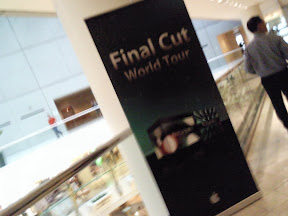
The Final Cut World Tour finally landed in Singapore, at the Raffles City Convention Centre. Event was packed and they ran out of seats, so a bunch of people had to stand throughout the presentations. I suspect it’s because they didn’t limit the number of registrations, since on a whim, I decided to do a dummy registration yesterday and it still went through.

I remember when Adobe had their CS3 demo session, seats ran out very early even though they held it at a bigger venue [Suntec Convention Hall], which was easily 2.5x Apple’s venue. Then again, Adobe was demonstrating a range of products that targeted print people, designers, illustrators, web developers, Flash developers, video professionals, motion graphics artists and the new market of medical/industrial professionals. So, not a fair comparison.

The Final Cut World Tour felt more… familiar, kinda warm and fuzzy, since even when your big post-production and Hollywood movie studios are using Final Cut for their post, they are still essentially using the same FCP interface [of course, their systems are… "very high end"]. The Adobe event felt more exciting, a lot more showmanship, as compared to the marketing/sales pitch [shareholders’ meeting?!] feel of the World Tour.

Other big difference is that there was more interaction during the Adobe event, plus a Q&A session – both of which were not present at the World Tour. Then again, the World Tour took about 3.5 hours, the Adobe event was full day.

Enough of random comparisons. Back to the main event – the Final Cut World Tour.

Much of the first half was spent on the features of Final Cut Server and how it helps your workflow. Quite cool, especially if you run a shop that has editors, colorists and artists working with FCS applications. The main selling point is that it’s highly customizable for your workflow, which they demonstrated using the case study of a post-production facility that did a reality program on the Beijing Olympics, with post-production setups in USA and China.

We’re not doing anything of THAT scale, but the idea of having transcribers and translators working concurrently on the footage and exporting XML which can be brought in as subtitles delighted me. The ability to automate the review workflow [eg: auto export to H.264 – upload onto a web page – email notification – client/producer can make notes based on timecode – comments feed back to editor] is very neat as well. Not enough reasons for us to buy the Server though.

The price of the Server itself is quite accessible – around $1,500 for the 10-seat license and around $3,500 for an unlimited version. But obviously you’ll need a solid hardware system to support it and someone who is able develop a workflow that works for your projects.

Ran intp the technical manager of my alma mater after the event and he said they’re gonna get a visit from the Final Cut Server guys to talk about the system. Sounds good, especially since they have upgraded to FCS2. There are 4 AVID Adrenalines in school, but I remember fondly the time I spent in the less glamorous Final Cut lab [only fluorescent light!] when I was doing up my graduation short film. I was one of those rare people who went straight for the FCP option – didn’t even bother with balloting for the AVID, heh.

The rest of the afternoon was spent showing how FCS2 integrates Motion, Soundtrack Pro and Color together with FCP, so you can port your footage and project to and fro easily, with instant updates when changes are made in any of the applications. The one thing I really got out of the session was: time to start playing around with Motion.

My feeble ‘motion graphics background’ is based on Adobe AfterEffects – because I had a really good trainer back in school. But a motion graphics artist is not created over one final semester [I blame attribute it to the school curriculum for not starting us earlier in motion graphics, since we wasted an entire Year 3 ‘Advanced Multimedia’ curriculum on Flash]. I have done fairly simple motion work in AE [when trying to animate 30+ layers in FCP proved to be a lesson in madness], though I have done quite some bit of keyframing and compositing in FCP as well.

From the demonstration, Motion’s principles seem fairly similar to AE, especially when he was demonstrating the use of 3D space.

There was extensive demo [twice, in fact] of Color – which was quite exciting to look at, since it doesn’t look THAT imposing anymore, even though you can most definitely achieve a lot more if you know how to work the advanced details. For a marketing event, surely you don’t talk about the drawbacks, since I remember one of the main complaints about Color is that it still can’t handle nested sequences properly.

The case study they used for Color was a Jaguar TVC – a lot of masking, isolating and tracking of the grading. Looks like fun! The grading really defined the TVC, since we also got to see the raw footage… zzzz! Reminds me of the fun we had grading our latest TVC, even though in comparison, ours was extremely rough and applied with a very broad stroke. Different budgets/parameters, different strokes :P

In comparison, there wasn’t much talk about Final Cut Pro itself. No mention of the cool Smoothcam feature I read a lot about when it first came out. The feeling I got was that this was not about selling the FCP that many editors had grown to love but to push for those who haven't upgraded to FCS2 to seriously consider doing it [ProRes 422 is something they mentioned quite a bit]. Plus, to see the value-add in the other applications neatly integrated into the workflow.

I had a moment of Deja Vu [which I couldn't trace back, as Deja Vu moments tend to be; was it during the Adobe event? Read off some editing site/forum/newsletter?], when the seemingly most simple of features turned out to be A Very Big Thing.

The loudest applause and maddest props were given to this particular demo of Soundtrack Pro 2 where the presenter showed how, with a simple step or two, you could easily remove ambient noise AND audible audio clicks/pops – which you tend to get when you boom a shot in the great outdoors. The really neat thing is that you see the waveform itself morph into ‘what it should be’. All this applied on a clip from a real-world project [stamp of authenticity there]. On playback, the audio was remarkably clean.

Simple solution to your everyday problem = most appreciated.

There were a few supporting vendors outside the venue, notably the Matrox MXO, BlackMagic and... The RED Camera [the Panasonics in the other end of the space didn't seem to get the same level of interest]. After seeing many variations of glossy photos of the RED camera online [plus footage], it's hard to be wow-ed by the actual camera, especially since I don't remember seeing any demo footage being played alongside it.

Superficial Sidenote: end of the seminar, there was a lucky draw, with the awesome and exclusive [read: 'one'] prize of... an iPod nano. Meh :P C'mon, show us FCP groupies some [more] love! I remember Adobe gave away... three Production/Extended Suites during their presentation! Couldn't hurt if Apple gave away a nice set of FCS2... right?

I wish, I wish. Still running FCS1 now. Works great for our current needs, though since we also shoot on HDV, ProRes422 is something that would help with our workflow.

Final Cut World Tour - Singapore


'Live' from [post] Final Cut World Tour.

More text and post-show thoughts to come.

Friday, June 13, 2008

Latest Work: Superhero Diaries TVC


If you could, watch it on High Quality on YouTube itself :D

Had the TVC up on YouTube for 2 weeks now - but didn't want to dilute the traffic to our company blog [http://intuitive-films.blogspot.com] - so posting it here only now.

Had quite some fun cutting this one. I was on the set when it was shot [on a soundstage] since I helped in the producing. Also helped to make sure the fireball compositing shot [the frame in the video thumbnail] had enough good takes to work with.

It turned out to be my favorite shot for 2 reasons:

1) The fireball came out really nicely [the cinematographer made a very nifty suggestion to use a dimmer on the key light when he shot so that the fireball > full explosion gives more impact].

2) The actress [for those bopping to the tunes of the 80s, that's Debbie Gibson] held on to her 'look' long enough and with enough intensity, the shot was a good one to hold, with the fireball on a translucent 'add' composite mode.

2b) Extra: the fireball scene then dissolves into a snow scene... ooh, thematic contrast - I likey!

Though I am not entirely happy with the masking on the reveal... still a little rough. And that shot alone probably had 3-4 layers of nesting - ow.

Did quite extensive color grading on this one - using Magic Bullet Editors. Helps that the costumes and make-up were very dramatic and the style was to have rich, saturated colors. Mmm, colors, yes, I likey that, too. Apart from color grading, also slapped on a few filters to get a little bit of the glow and vignetting going. Not to forget the ballistics [and SFX] and a very subtle sound texture which bridged the fireball scene and the snow scene.

Entire TVC was cut, composited and graded in FCP :] Well, the end logos were done up in Photoshop and the music track came from the client's music guy.

Delivered a DigiBeta with 2 x :30 version to the TV station last week... hope to see it on the air soon - all that tweaking is wasted when you only get to see it either as a tiny streaming .flv on the official website or a highly compressed YouTube video!

2008 FCPUG SuperMag - 100 pages of pure goodness!

A whole motherload of tips and tricks, written by industry professionals who have been very generous in sharing their experiences and solutions.

All 100 of them, now available for just a low, low price of: an email address!

http://www.lafcpug.org/nab_supermag_08.html

Downloading it as I type - but there's no doubt I believe that this is some real solid stuff.

Link courtesy of Shane Ross @ http://lfhd.blogspot.com, who contributed an article as well.

Oh yay, downloaded and 'flipped' [or finger-scrolled] through it - I am definitely a big FCP fanboy :P

Something for me to savor and devour as I await the arrival of the Final Cut World Tour next week - ETA 18 June!

Saturday, May 24, 2008

10 Commandments, Lies and Video Tapes

I love me some lists... so here's a few I picked up while reading:

from http://www.videouniversity.com/10edit.htm

TEN COMMANDMENTS OF DV EDITING


1. Thou shalt not screw up thy client's job.

2. Thou shalt not record in LP mode, lest ye receiveth thy glitch.

3. Thou shalt not mix tape brands, nor shalt thou allowest them to intermingle freely, lest ye recieveth thy glitch.

4. Honor thy Alimighty Vectorscope and thy Almighty Waveform Monitor, for in Darkness and in Light art thou guided by them.

5. Thou shalt not covet thy scene transition for the sake of vanity, but shalt thou cut with reason and purpose, and only then, keeping thy transitions modest.

6. Thou shalt have thy proper subject on screen at the proper time, thy speaker when he speaketh, thy reactor when he reacteth, thy glance and then thy object.

7. Thou shalt not cross axis.

8. Cast down thy recording tabs and breaketh them, and if thy tabs slideth, and not breaketh, then shalt thee slidith thy tabs into the "save" position, so that thine precious video might then be saved from eternal loss.

9. Loggeth thee thy master tapes, and with marked labels shalt thee cover them, for their nakedness is sinful.

10 Thou shalt not linger too long in black, lest thy viewer kick his TV set reproachfully, thinking it hath conked out again.

---

With additions from http://www.scottsimmons.tv/blog/2006/09/17/10-commandments-of-editing/

Thou shalt at least attempt some type of written script or paper edit to at the very least give the editor some starting point, albeit however small, or futile said script shall be.

Thou shalt give the editor some time to work on the edit on his or her own without the interruption of director, producer, writer, client, cinematographer, videographer, executive producer or production assistant.

Thou shalt not ask the editor to review every single cut or parameter change the second after said change is executed thereby giving the editor a bit more time to get the particular thing done.

Thou shalt not give an editor a DVD as a master source reel and expect it to function properly in an offline to online environment without the dubbing to a master tape reel with timecode and/or expect the quality of compressed DVD mpeg material to be the same quality as HD video or 35mm transfered film.

Thou shalt give the editor some time to make a change and review said change before making comment out loud that a glaring, unintentional error needs to be fixed or changed.

Thou shalt keep partying to a minimum in edit suite when edit job is on a tight deadline, least you expect editor to get interrupted or distracted and not be able to finish on time.ÂÂ

---

Half truths and whole lies from http://lfhd.blogspot.com/2007/07/lies-i-tell-you-lies.html

TOP TEN LIES EDITORS TELL THEIR PRODUCERS:
10. It’s just a preview glitch…
9. It’s out of the safe area, you’ll never see that on the air…
8. It won’t really look like that…
7. I’ll fill out the paperwork tomorrow…
6. Why no, I don’t mind working on Saturday…
5. Oh, don’t go by THAT monitor…
4. It works better as a cut…
3. That glitch is on the source tape…
2. I’ll have all your changes done by the end of the day…
1. No, I agree. It’s much better that way.

TOP TEN LIES PRODUCERS TELL THEIR EDITORS:

10. It’s pretty simple. It should only take an hour…
9. Budget? Don’t worry about it…
8. Feel free to be creative with this…
7. I only need a couple dubs…
6. The network will love it. They won’t make any changes…
5. I’m positive we’ve got that shot on another tape…
4. I’ve never had this problem anywhere else I have edited…
3. Could I see it just one more time?
2. I thought you’d be able to just paint it out…
1. How hard could it be?

TOP TEN LIES EDITORS TELL OTHER EDITORS:
(when they pick up the second half of a session)
10. It’ll only take about an hour to render…
9. I’ve pre-built all of the chyron…
8. It should only go a couple of more hours…
7. I’ll be at home. Call me if you have any questions…
6. The producer has been really organized so far…
5. All of the decks are working perfectly…
4. The list has been working great…
3. I’ve had no problems with this Avid…
2. Don’t worry, the credit roll is short…
1. I’ve already done the hardest parts…

TOP FIVE LIES EDITORS TELL THEIR ASSISTANT EDITORS:
5. Kick me off if you need the station.
4. You don't have to log everything.
3. We'll finish early today.
2. I organized the files really well already.
1. An hour of footage a day, tops.

#1 LIE EDITORS TELL THEIR SIGNIFICANT OTHERS:

1. “I’ll be home soon.”

---

Things to be made into posters when I get my own swanky edit suite ;]